|
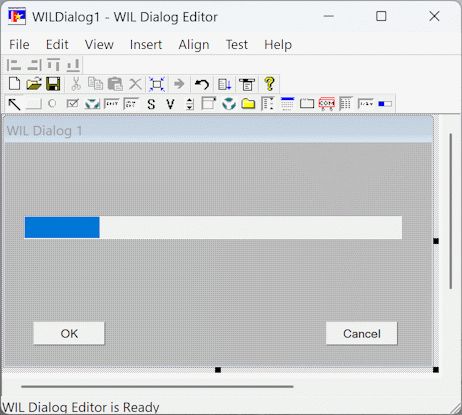
The Progress control is used to visually indicate the progress of a task. You indicate the progress bar's range with a bar(|) delimited list of 3 numbers. The fist number is the minimum, the second the maximum, and the third is the incremental step of the control's colored bar across the face of the control. This list is placed in the text attribute of the controls template line by the editor. . The default is '0|100|10' which is sufficient for most usages. The control supports three style attribute styles: @csVertical, @csDisabled, and @csInvisible. The @csVertical style causes the progress bar to lengthen from bottom to top instead of from left to right. The control also support the background color and text color attributes. The background color attribute is the color of the area not yet filled by the control's bar. The text color attribute is the color of the bar itself. To resize the Progress control click on the edge and drag with the left mouse button or use the arrow, control, and shift keys.
|
|
For example, the line in the script generated by the WIL Dialog Editor may look like:
MyDialog003=`010,042,256,019,PROGRESS,"Progress_1",DEFAULT,"0|200|10",DEFAULT,30,DEFAULT,DEFAULT,DEFAULT,DEFAULT`